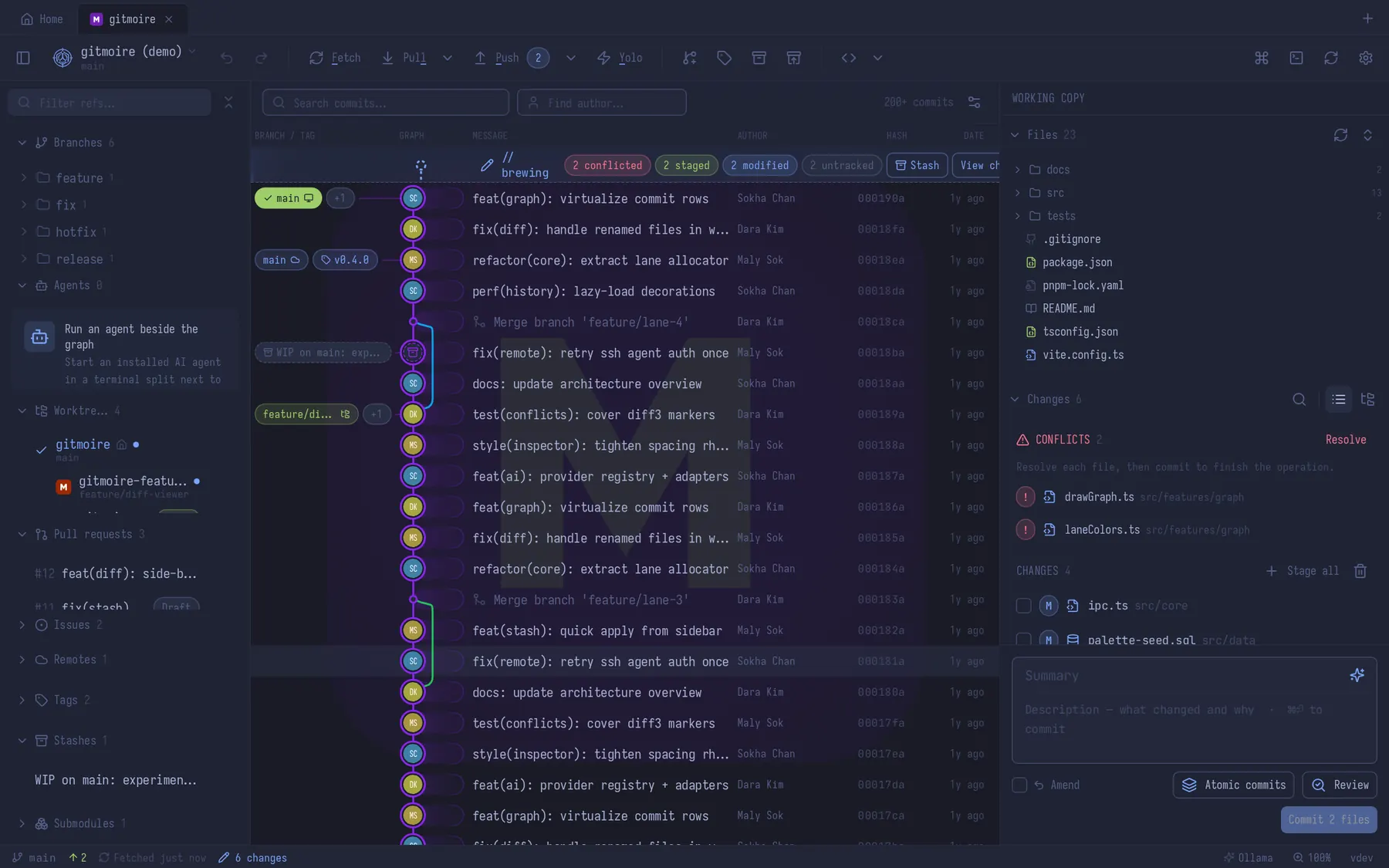
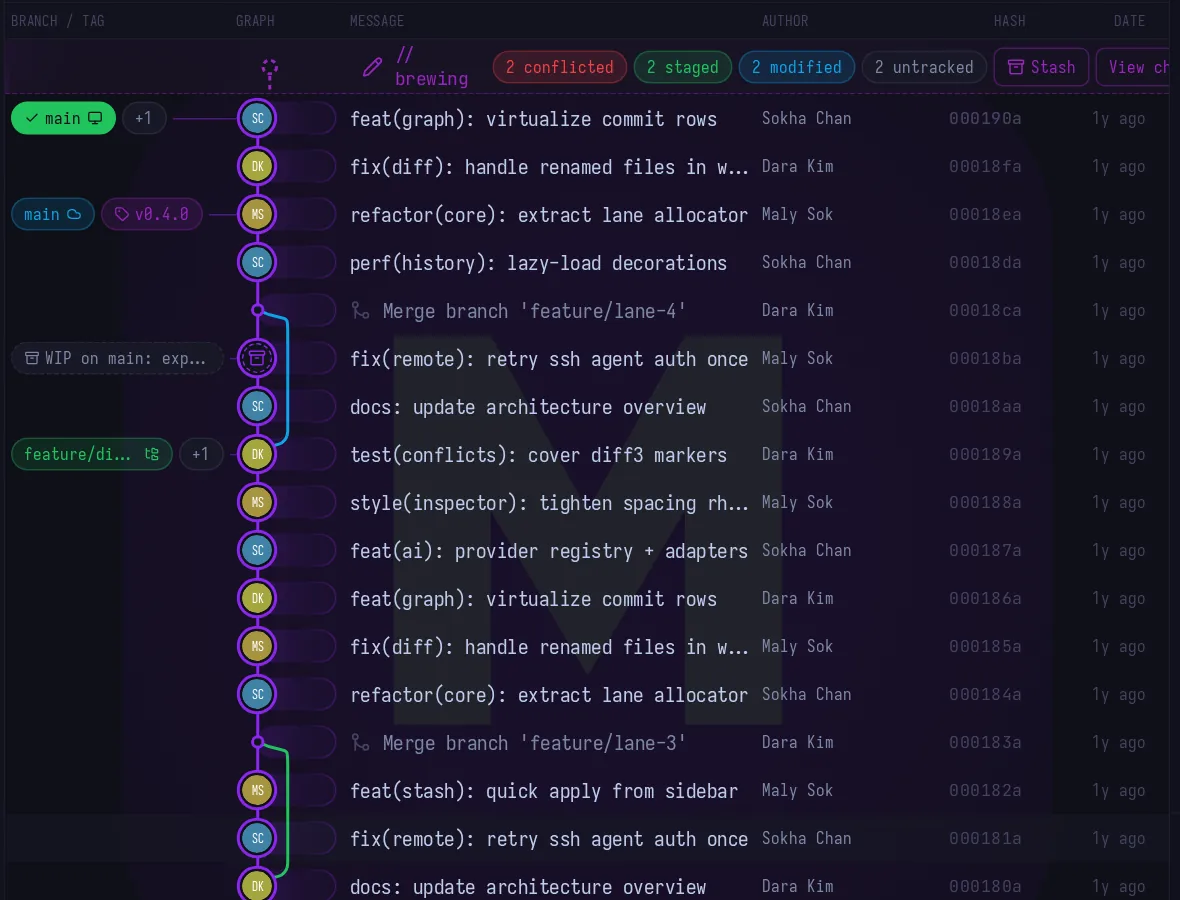
graph
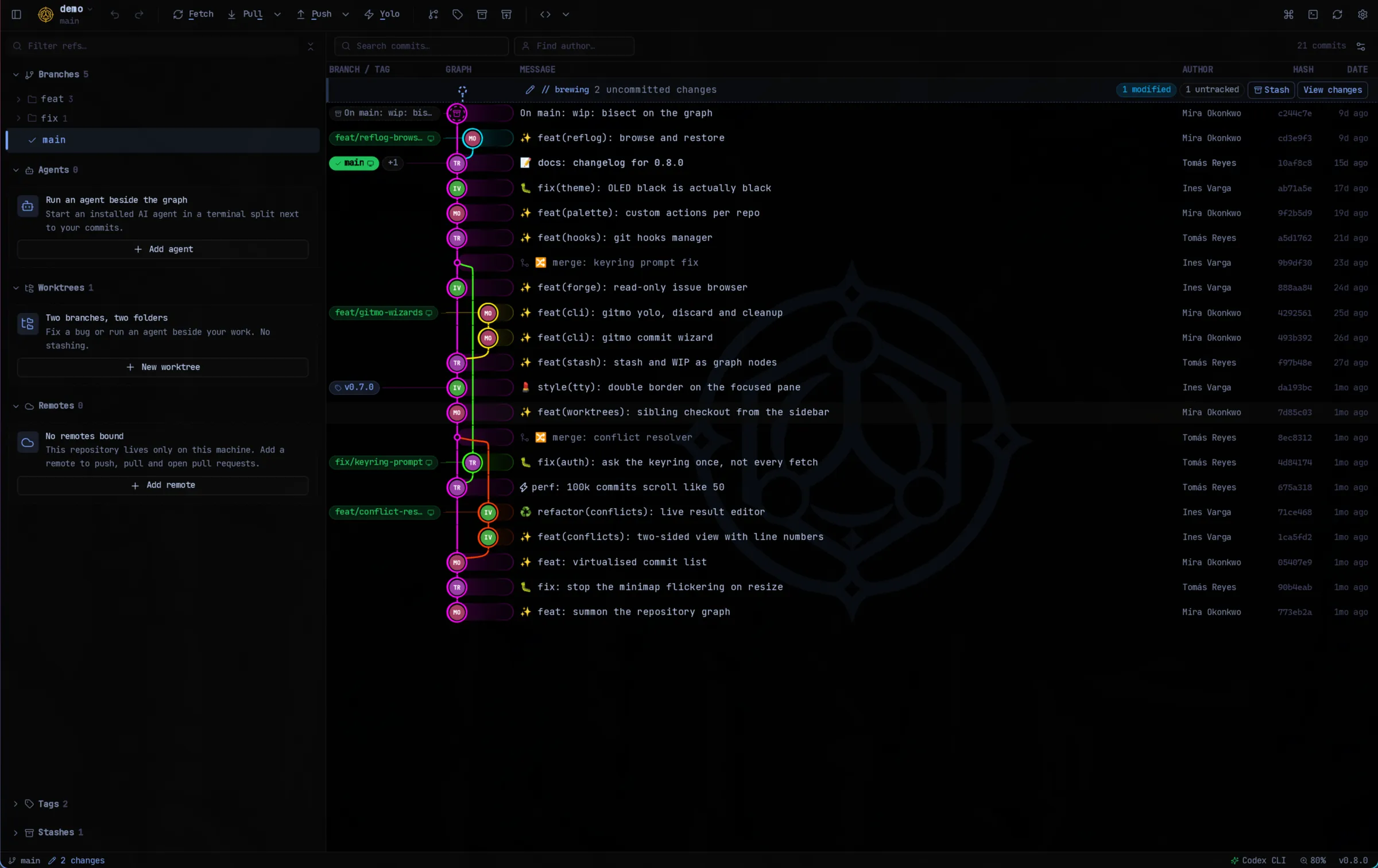
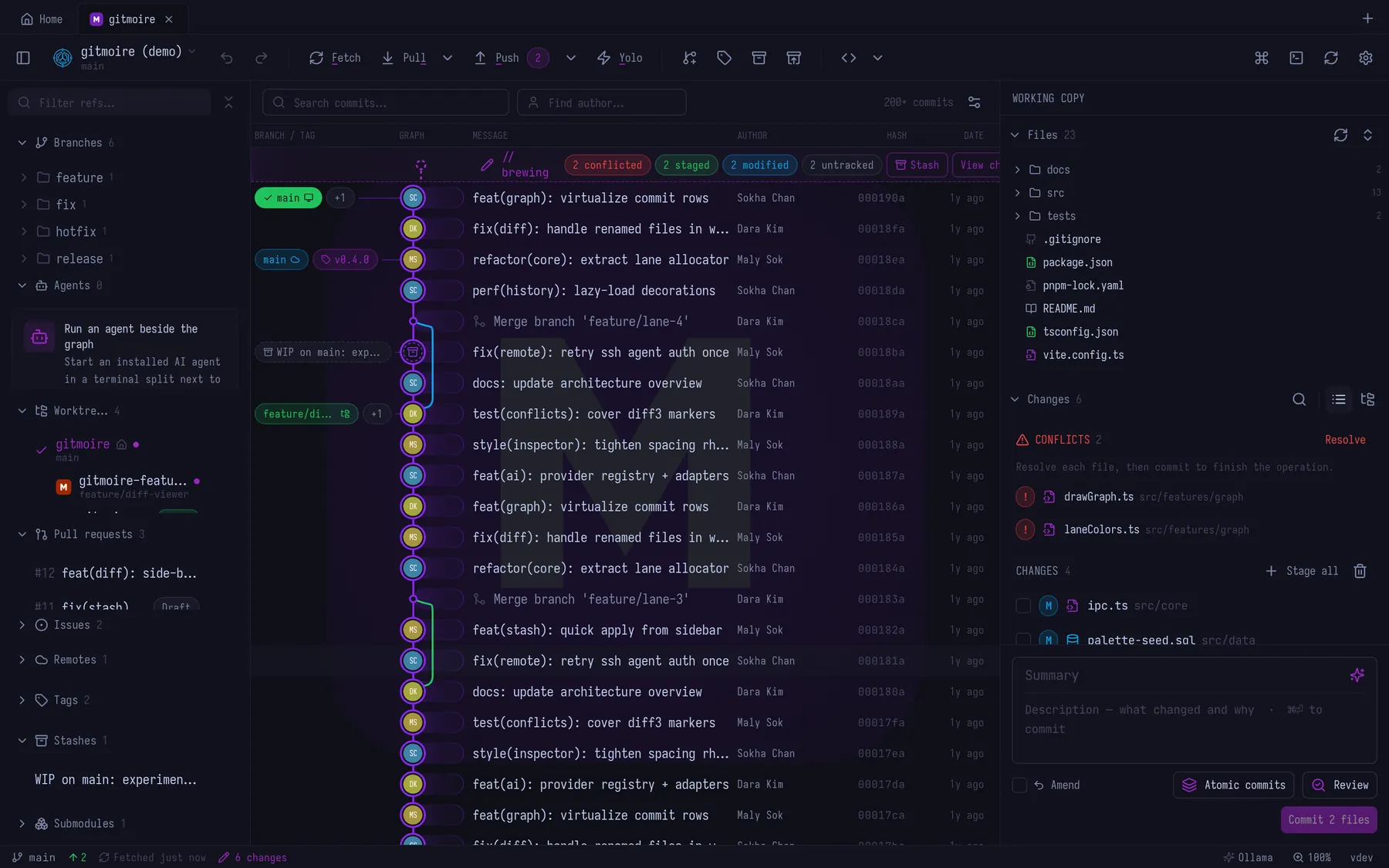
Virtualized, so it never hiccups. Drag a branch onto another to merge or rebase; merges default to real no-ff commits. Paste a hash and it jumps. Picked the wrong branch? CtrlZ. You're welcome.
Git, with a little dark magic
Your 1 GB Electron client called. It's embarrassed. gitmoire is a native Git client that weighs 14 MB, opens in under five seconds (GitKraken took me nearly forty), and has never once asked you to log in.
$ gitmoire open .
✓ summoned your repositories
› 21 commits, 5 branches, 1 stash. Opened in under 5 s.
I respect your SSD.
Every Git client I tried was a website wearing a trench coat. Slow to open, a gigabyte on disk, and a login screen standing between me and a typo fix. Insulting.
gitmoire runs Git on Rust and libgit2 instead of a pile of shell scripts, so a hundred thousand commits scroll like fifty.
And it's ready before the kettle is.
GitKraken took me almost 40 seconds to open. gitmoire opens in under 5. That's not a benchmark suite, it's me waiting for a window on my own machine, which is the only benchmark that has ever annoyed me.
Other clients ship a hundred features. I ship the best 25 and make them embarrassingly good.
Virtualized, so it never hiccups. Drag a branch onto another to merge or rebase; merges default to real no-ff commits. Paste a hash and it jumps. Picked the wrong branch? CtrlZ. You're welcome.
Both sides, with line numbers. One checkbox takes a whole side, hover-plus takes a single line, and the result pane is a live editor. Nothing touches your files until you hit Mark resolved.
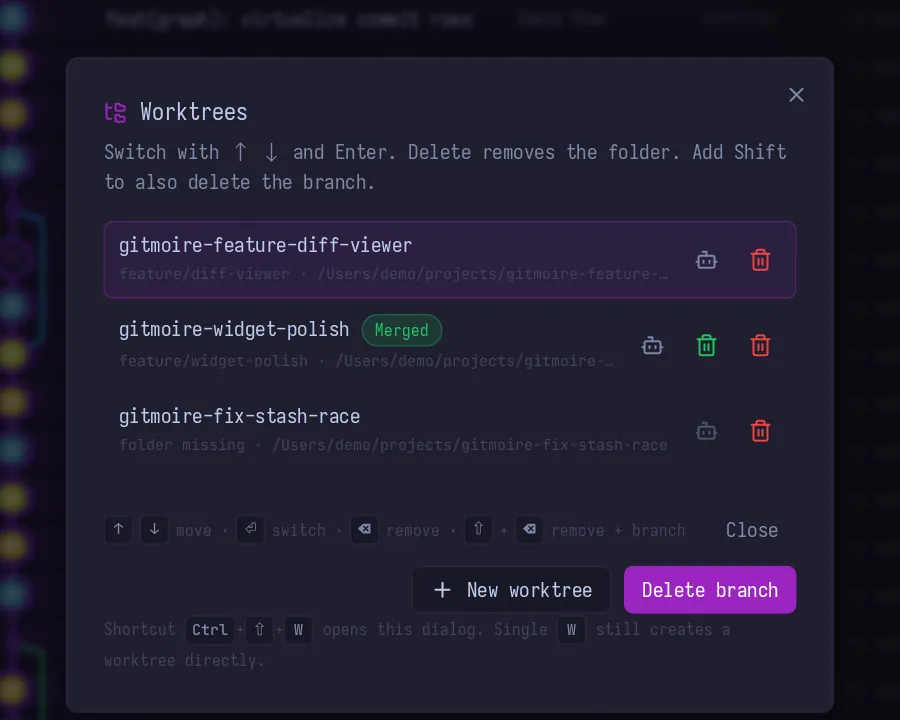
A second checkout in a sibling folder for the hotfix, or for your AI agent, while your real work sits untouched. There's a manager, an install script that runs in every new one, and a hue each so six don't blur together.
Stage files, hunks or single lines. Commit, amend, revert, reset, interactive rebase, cherry-pick one or fifty, stash (even partially), tags, submodules, hooks. Inline or split diffs, blame, file history.
Fetch, pull and push over SSH or tokens, with multiple accounts per host. Pull requests for GitHub, GitLab and Bitbucket: list, checkout, create, pick reviewers. Bitbucket Server and Azure DevOps get read-only detail. Signing reads your git config and just works.
Stashes and your work in progress are first-class nodes on the graph, not a drawer you forget about. Right-click one to apply, branch from it, or drop it (after it asks).
Teach the palette your own commands, per repo or everywhere, and run them in a terminal tab or quietly in the background. It's a task runner that already knows which repo you're in.
Identity profiles live in your repo config, never your global gitconfig. Tokens live in your OS keyring. Nothing phones home, because there is nothing to phone home to.
Conventions you don't have to remember.
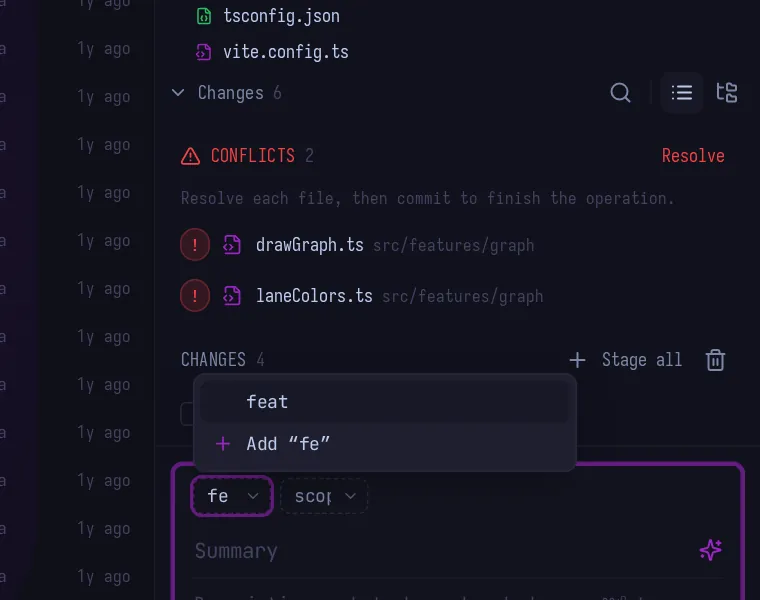
Define up to three prefix lists and the commit box turns them into keyboard dropdowns. Focus the box and the first list opens; pick a value and it hops to the next list, then to the summary. You never leave the keys.
<type>(<scope>):, [<scope>]<type>: or <type>-. Empty lists drop out, and there's a live preview in Settings.gitmo commit offers the same lists in the terminal (--prefix to skip the picker, --no-prefix to skip them all).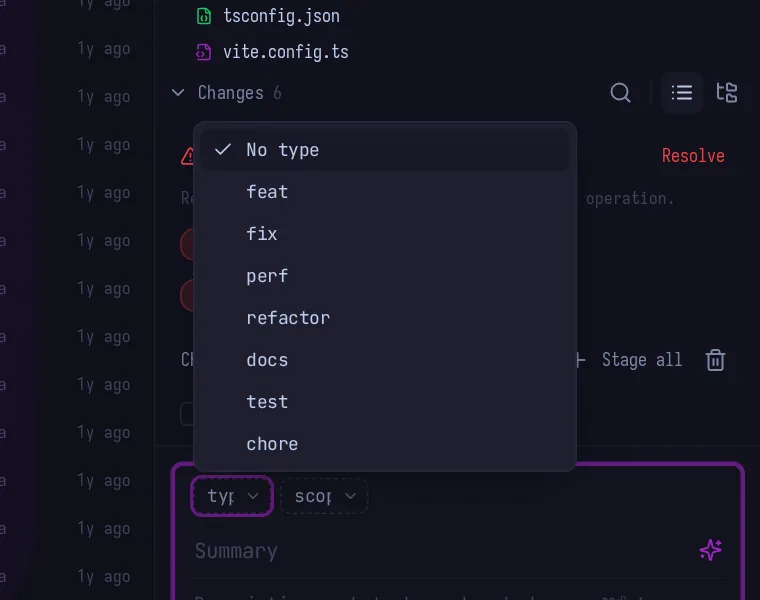
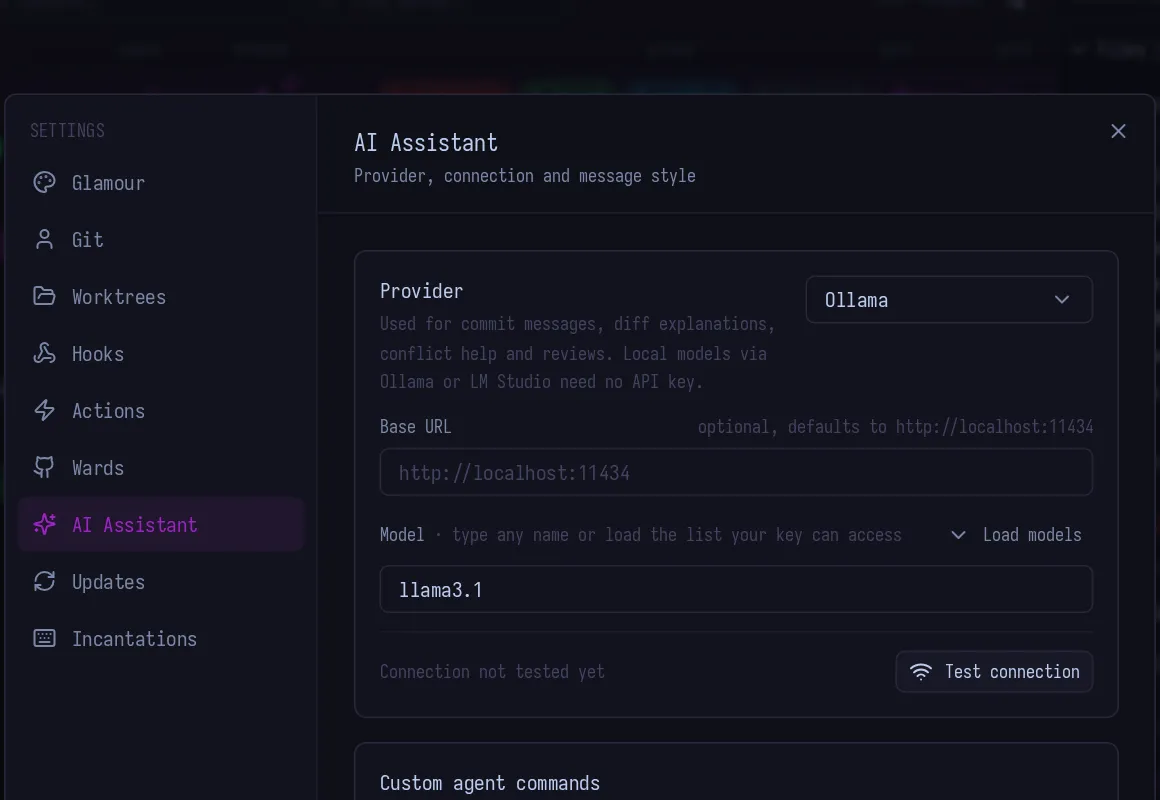
Off until you turn it on. Then it borrows your own Claude Code, Codex, Gemini, OpenCode or Antigravity CLI, an API key, or local Ollama. Requests go straight to your provider, and every run has a Stop button because I don't trust robots either.
Atomic commits.
You did six things and committed none of them. One button, or CtrlShiftA, hands the mess to the AI, which sorts it into logical commits.
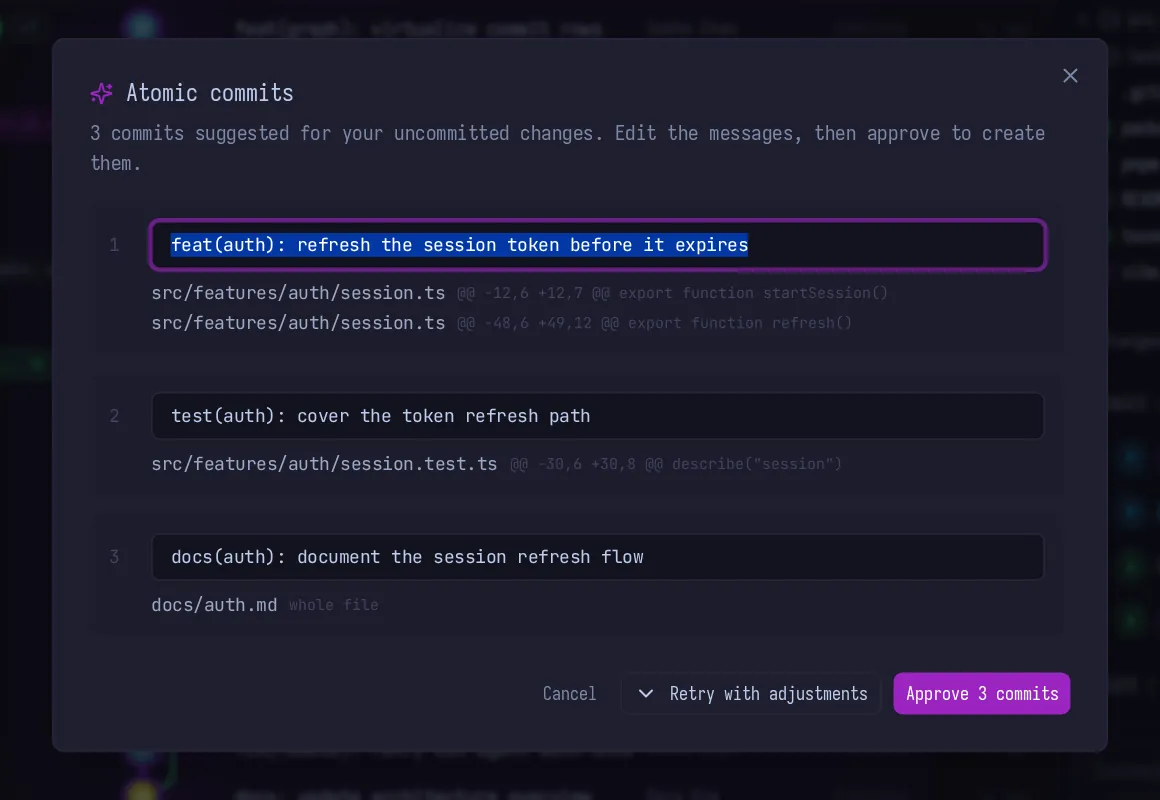
The sparkle in the summary box writes a message in your style: your prefix list, your 50/72, your gitmoji or lack of one.
A second pair of eyes on exactly what you're about to commit, before the commit exists to be embarrassed about.
Both sides, in plain English: what each branch was trying to do and why they collided. Per file, with Stop.
Proposes a merged result per conflict, or Suggest all one by one. It lands as an unaccepted preview with a confidence label and a rationale. In development, not in a release yet.
Inherited a repo with commit messages like "update"? Ask what a commit actually did.
Generated from the commits on the branch. Edit it, paste it, pretend you wrote it at your desk.
Run an AI CLI in a terminal split next to your commits, in a worktree if you like. More in the terminal section.
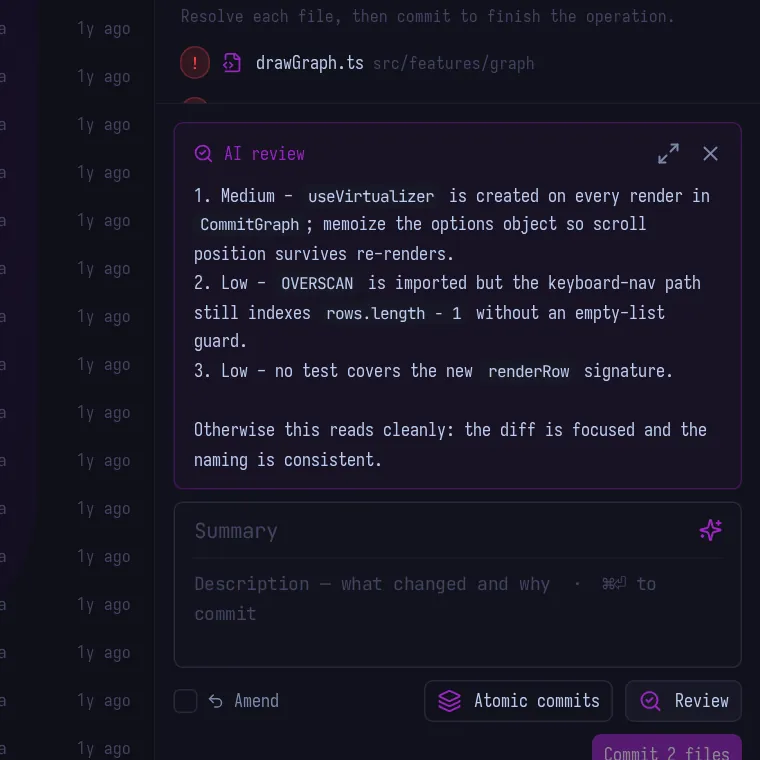
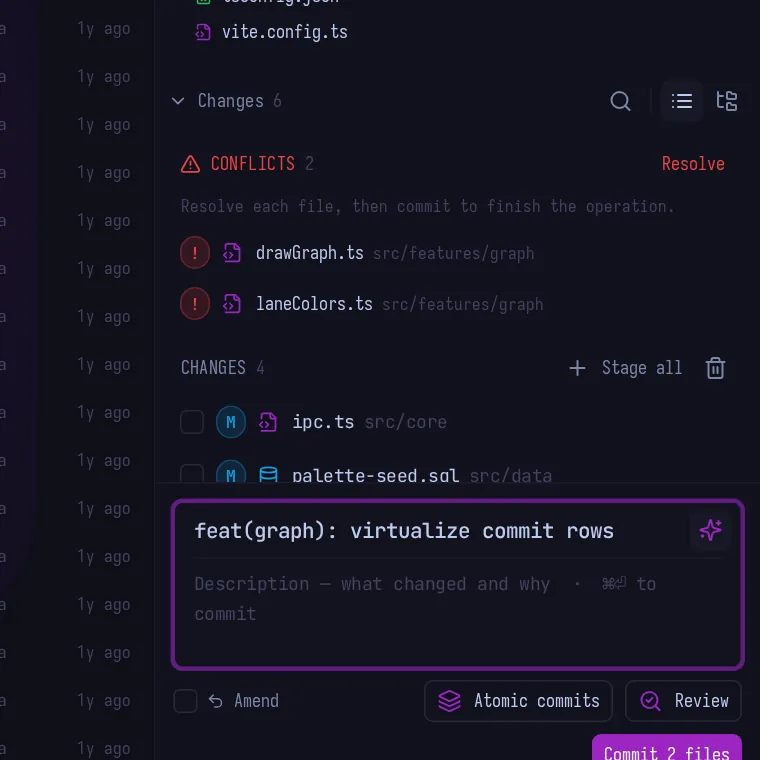
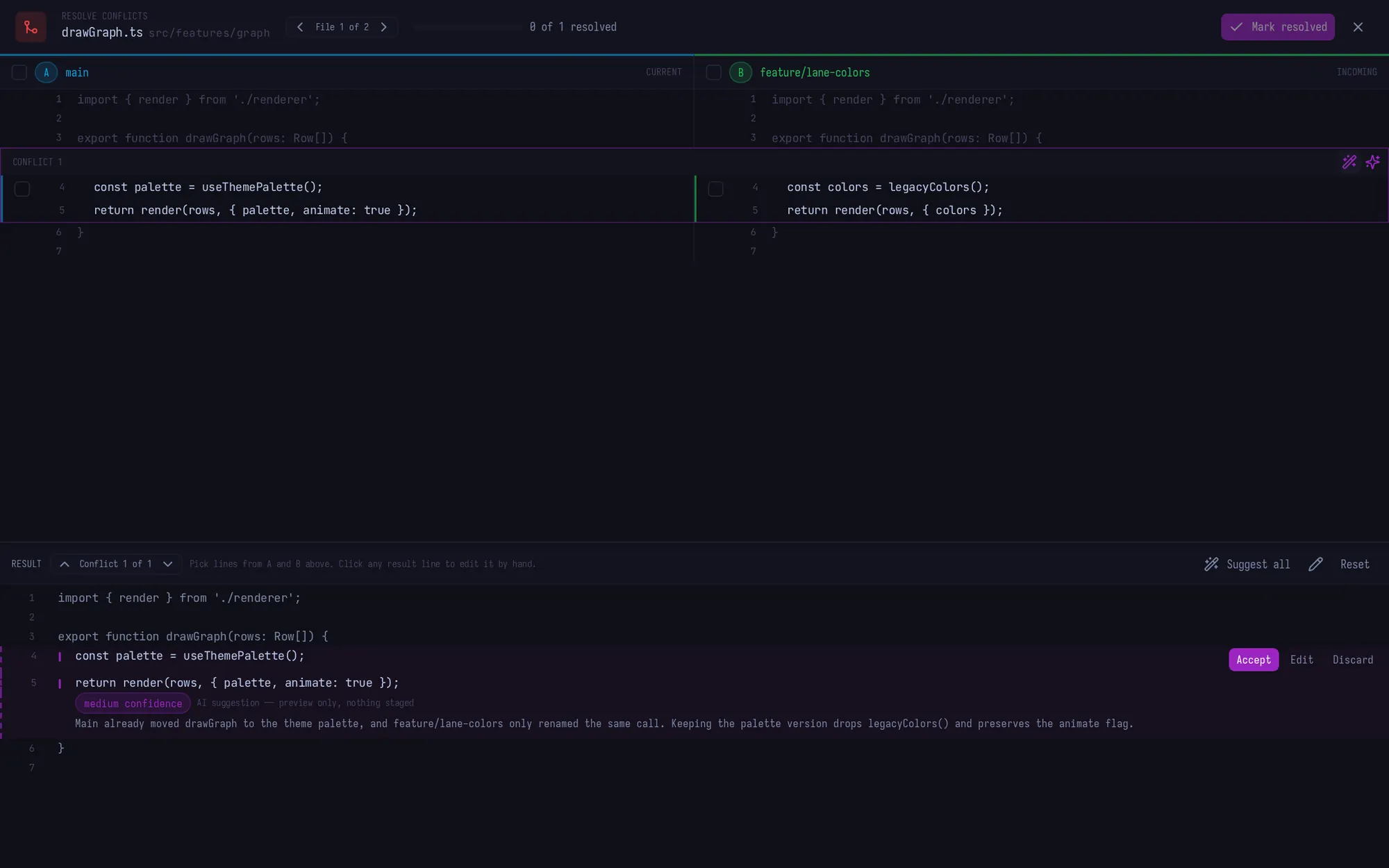
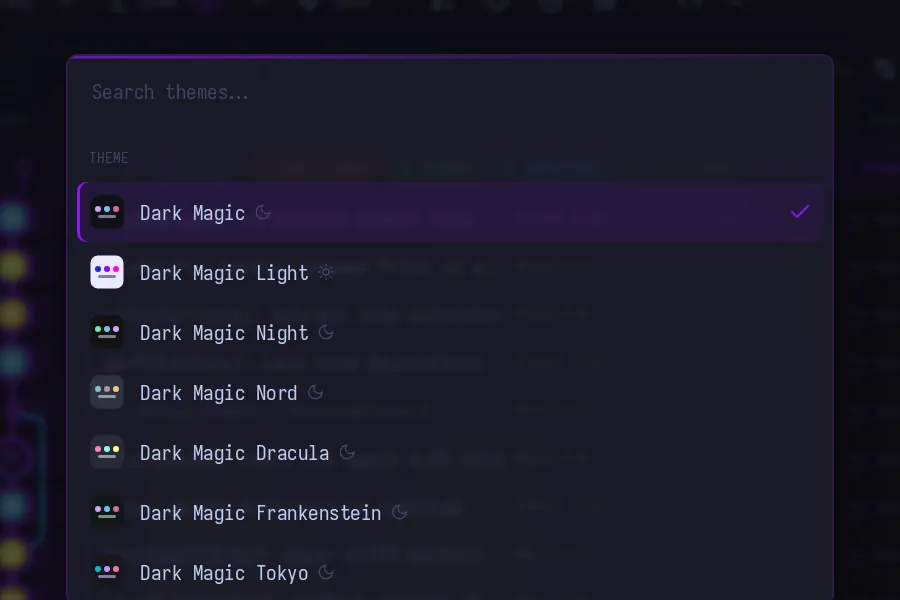
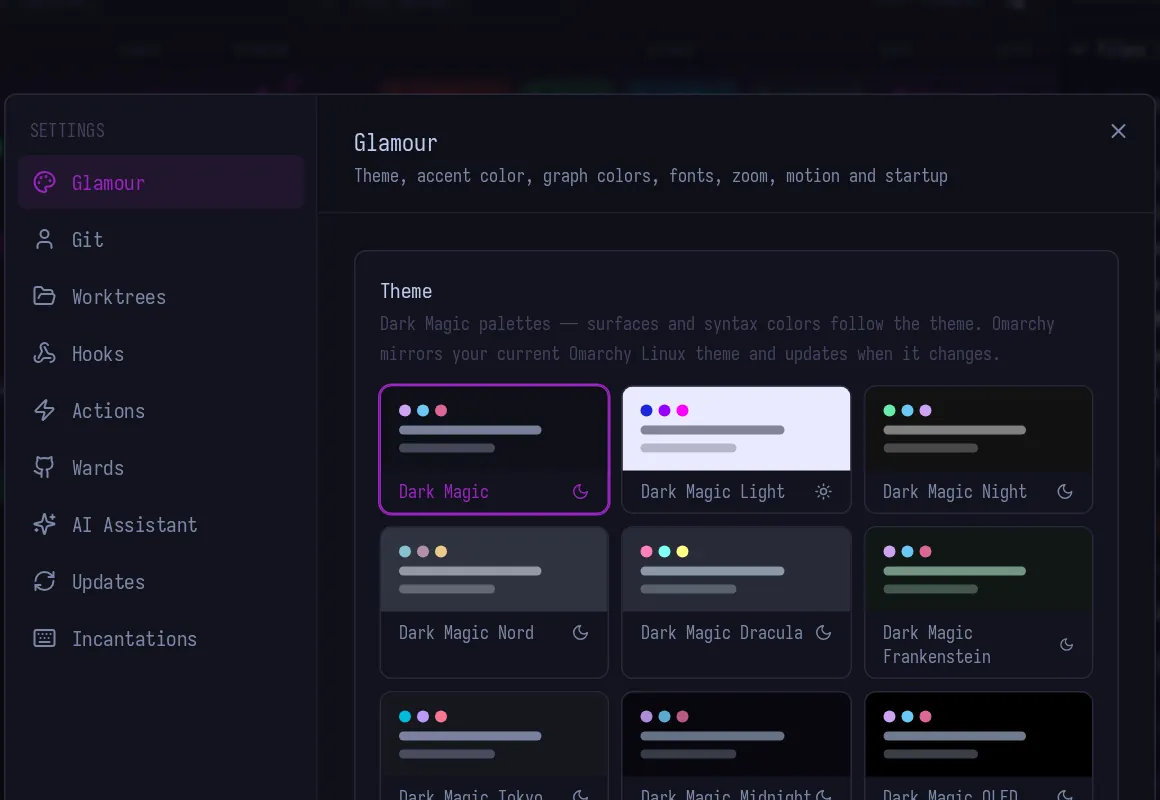
Fifteen hand-tuned themes, five accent colours and six graph palettes. This page is wearing whichever you pick below, so go on, try one.
Your desktop, mirrored.
On Omarchy, gitmoire can wear your current system theme and follow it when you change it. Surfaces, borders, syntax and the accent all come from the theme's own colour file, so the app looks like it grew up on your machine.
These are four stock Omarchy themes, applied to the real UI. New to it? omarchy.org has the whole story.
gitmoire wears the repo you're in. Give a project a logo and it follows you around the whole app, so six tabs don't look like six copies of the same tool.
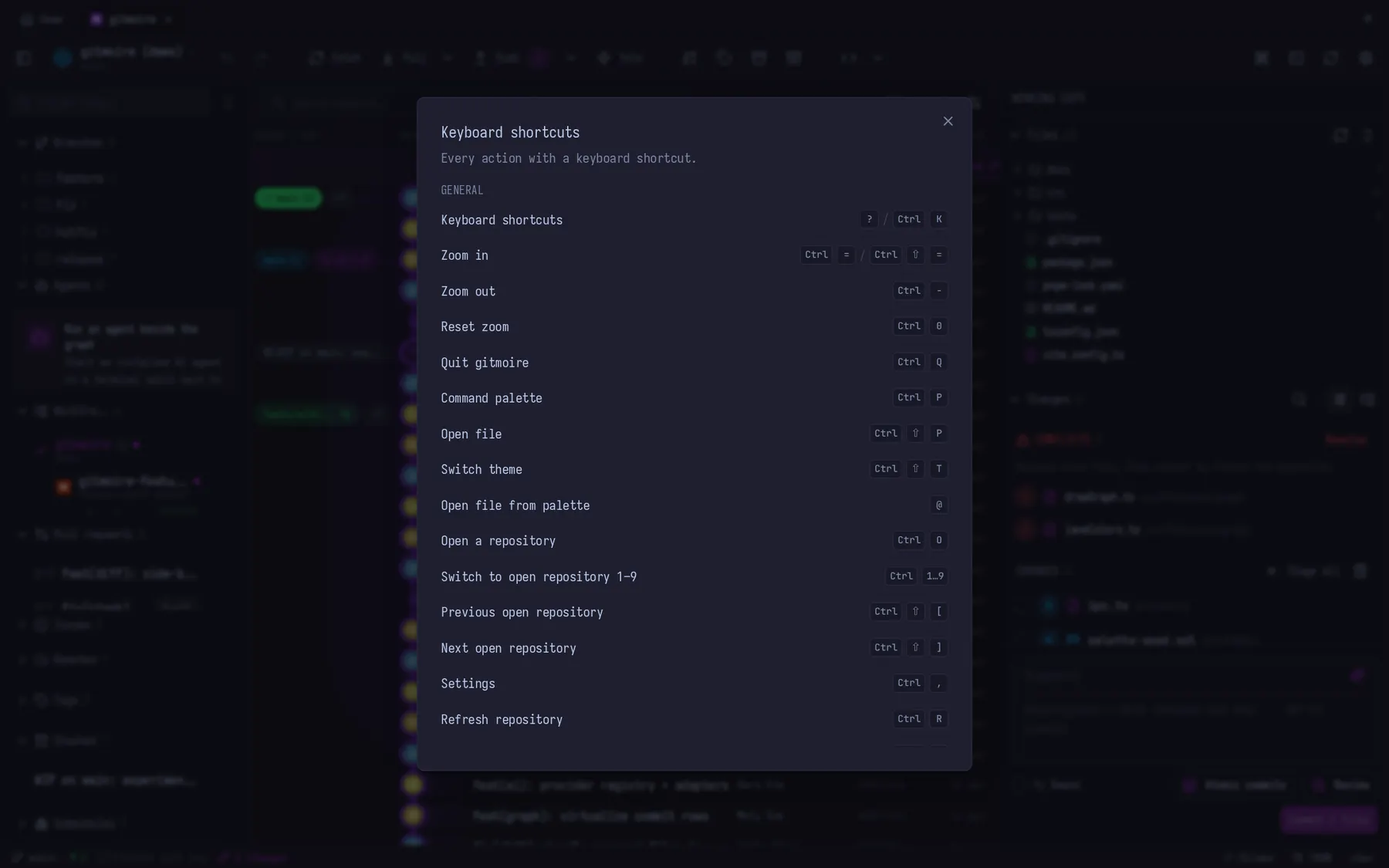
Every binding is declared once, so the reference can't lie. CtrlP opens the palette, ? lists everything in the app, and single keys do the daily ten whenever you aren't typing.
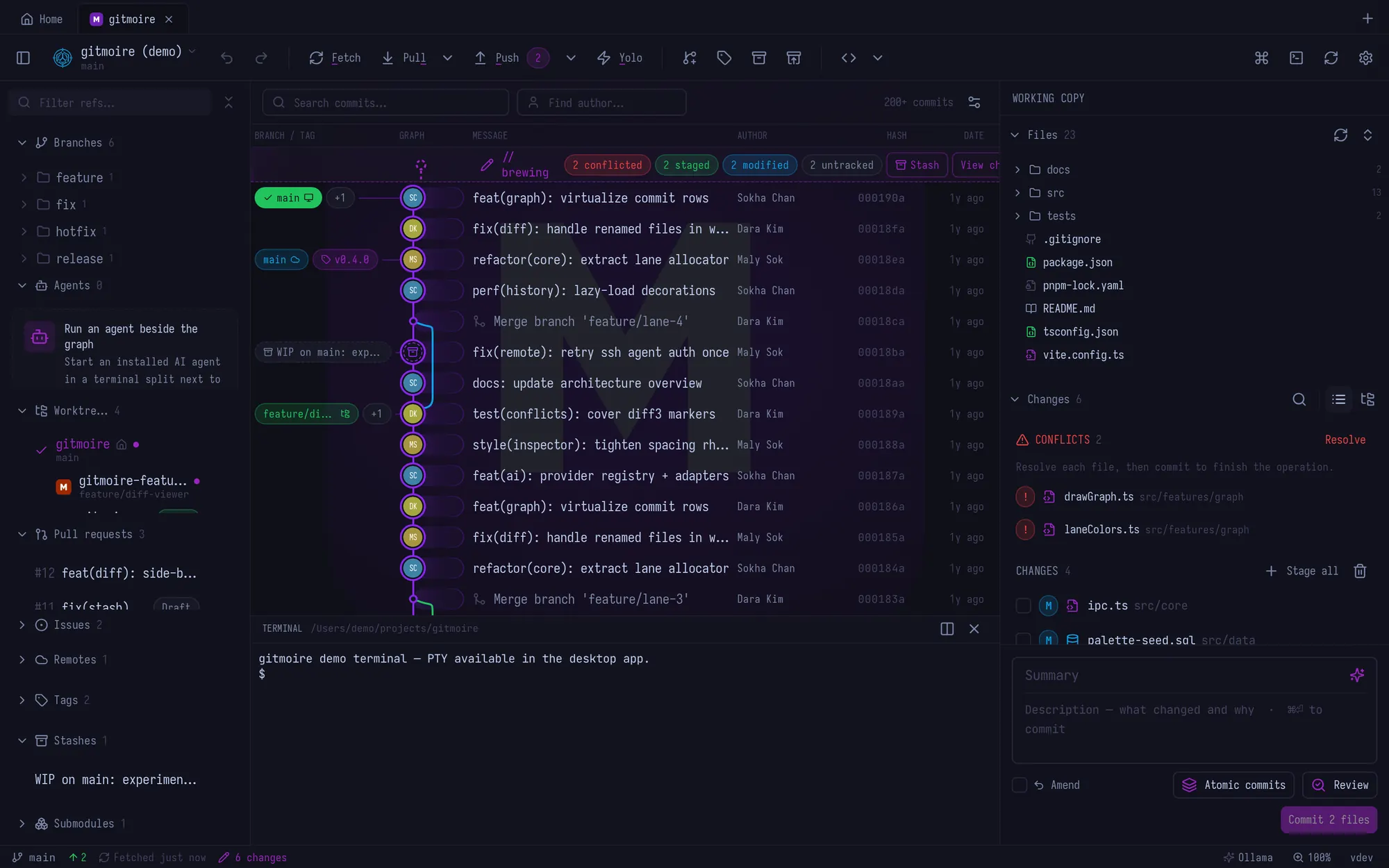
Press Ctrl`.
Every repository gets a shell at its own path, right under the graph. It picks up your login environment, so Homebrew, fnm, nvm, volta and mise resolve exactly as they do in your real terminal.
Four wizards. Zero windows.
Since 0.8.0 the command line is a client of its own. gitmo runs headless, so it works over SSH and on a box with no display. Every wizard goes through the same engine as the GUI, so signing, discard checks and worktree guards behave identically in both worlds.
gitmo commit lists changed files, takes 1,2, a or e, holds the 50/72 line, and prints the oids so git reset --soft is always your undo.gitmo yolo amends HEAD keeping its message, hooks skipped, and refuses when the branch is ahead of its upstream.gitmo discard shows what it will destroy and defaults to No. Nothing is discarded silently, ever.gitmo cleanup fetches, prunes, and pre-checks merged branches in a picker.$ gitmo commit changed files 1 M src/core/ipc.ts 2 M src/features/graph/drawGraph.ts 3 ? src/data/palette-seed.sql › stage: 1,2 › prefix: ✨ feat › message: virtualise commit rows ✓ committed a3f9c21 undo: git reset --soft 7d85c03
The corners people ask about. All real, all in the app.
Every version, straight from the changelog. Builds are published to the releases repo, and the app updates itself with signature-verified downloads.
Everything before 0.2.0 is angkorGit's history. gitmoire is a hard fork, and the lineage is MIT all the way down.
I track work as potions: small named batches with a progress bar. This is the real ledger, synced from the repo. It is not a mood board.
The first public build isn't published yet. Builds land in the releases repo the moment they're signed off. To hear about it, open that page, press Watch, choose Custom, and tick Releases.
Until then there's nothing to download, so there's nothing here to paste. I'd rather show you nothing than a command that 404s.
Grab it from the releases page, or paste like an adult. These use the GitHub CLI and always fetch the latest build.
gh release download --repo dark-magic-studios/gitmoire-releases --pattern '*.dmg' -D ~/Downloads
xattr -cr ~/Downloads/gitmoire_*.dmg && open ~/Downloads/gitmoire_*.dmg
Drag it into Applications before launching. First launch: System Settings, Privacy & Security, Open Anyway.
# PowerShell
gh release download --repo dark-magic-studios/gitmoire-releases --pattern '*x64-setup.exe' -D $env:TEMP
Start-Process (Get-ChildItem "$env:TEMP\gitmoire_*x64-setup.exe" | Select -First 1)
SmartScreen says "Windows protected your PC". Choose More info, then Run anyway.
# AppImage, installed so the bare name works from anywhere
mkdir -p ~/.local/share/appimages ~/.local/bin
gh release download --repo dark-magic-studios/gitmoire-releases --pattern '*.AppImage' -O ~/.local/share/appimages/gitmoire.AppImage
chmod +x ~/.local/share/appimages/gitmoire.AppImage
ln -sf ~/.local/share/appimages/gitmoire.AppImage ~/.local/bin/gitmoire
Needs WebKitGTK 4.1 and libssl, which you almost certainly have. Then gitmoire opens the current directory and gitmo is the short alias.